
< p data-pm-slice =" 1 3 [] > Offer your Android phone a fresh make over with computer Style Home Launcher! Change your common home display into a desktop-inspired interface with a familiar taskbar, Beginning menu, file traveler, widgets, and notification facility. Take pleasure in the benefit of a computer-style layout while keeping the adaptability and portability of your smart device.
Whether you enjoy the timeless desktop computer experience or just desire a much more well organized and customized home display, computer Style Home Launcher brings a new means to connect with your gadget.
A Desktop-Style Home Screen
Turn your phone’s home screen into a computer-inspired desktop. Organize your preferred apps, folders, and faster ways any place you such as. Keep frequently utilized applications within easy reach making use of the personalized taskbar, total with your favorite applications, clock, and day.
Explore all installed applications through the Beginning menu, utilize its search function to find apps rapidly, and pin your most-used applications for hassle-free access.
Built-In File Supervisor
Handle your phone’s files with a desktop-style documents explorer. Search inner storage space, SD cards, and USB drives through a familiar interface.
Organize your electronic material with practical data monitoring tools:
- Copy, cut, paste, relocate, rename, and share data.
- Remove unwanted files and handle them via the Garbage.
- Produce folders to keep papers organized.
- Compress and remove ZIP documents.
- Browse pictures with the built-in gallery and image customer.
Widgets and Quick Setups
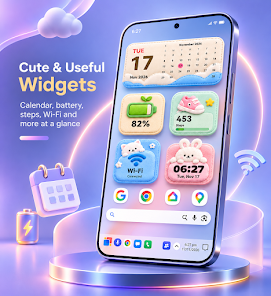
Maintain valuable details close at hand with personalized home screen widgets. Add clock, weather condition, calendar, RAM, and battery widgets to your desktop. You can additionally use your phone’s existing widgets and select various clock face designs.
The alert center brings your notices together in one convenient panel. Gain access to useful fast settings, including Wi-Fi, Bluetooth, flashlight, and screen rotation. Adjust illumination and quantity with integrated sliders.
Tailor Every Detail
Make your desktop-style home display reflect your personal taste. Pick from various themes, symbol packs, and wallpapers, consisting of online wallpapers. Adjust taskbar and food selection shades, explore transparency options, and use blur effects to develop a look you delight in.
With light and dark appearance alternatives, you can select the aesthetic style that suits your choices.
Privacy and Hassle-free Accessibility
Keep chosen applications hidden with application hiding and PIN security choices. The launcher likewise includes a lock screen attribute, adding even more means to individualize exactly how you access your device.
Secret Includes
- PC-inspired desktop home display for Android.
- Customizable taskbar with preferred applications, clock, and day.
- Start food selection with app search and pinned applications.
- Integrated data manager with data company devices.
- ZIP compression and extraction assistance.
- Notice facility and quick settings panel.
- Clock, weather, calendar, RAM, and battery widgets.
- Support for your phone’s existing widgets.
- Custom-made motifs, icon packs, and wallpapers.
- Live wallpapers, transparency, and blur effects.
- Light and dark look choices.
- Hide apps and shield picked apps with a PIN.
- Lock screen customization.
- Compatible with Android phones and tablets.