
Take control of Android device debugging with Bugjaeger Mobile ADB – USB OTG. This app gives Android developers, power users, and tech enthusiasts the ability to take ADB and Fastboot tools on the go. Now you can perform a multitude of development and diagnostic tasks without relying on a computer.
Use a USB OTG cable or Wi-Fi to connect to supported Android devices and gain powerful diagnostic, debugging, and development tools. Use Bugjaeger to test your Android applications and perform various management and diagnostic tasks on connected devices.
Bugjaeger includes the following features:
ADB Shell and Custom Commands
Execute commands on a connected device shell.
Run commands and scripts for development and troubleshooting.
Use interactive remote shell to debug and inspect application behavior.
Perform ADB operations on your mobile device.
App Installation and Management
Install and uninstall applications from your mobile device.
Sideload regular and supported split APK files.
Launch and/or force-stop applications.
Disable applications.
Inspect and/or copy installed applications.
Device Diagnostics and System Information
Export and filter Android logcat logs.
Capture device screenshots.
Inspect details of connected device’s Android OS version, SDK, CPU, ABI, display, Linux kernel, and battery.
Monitor processes, CPU, and memory to diagnose performance issues.
Inspect other system properties and device information.
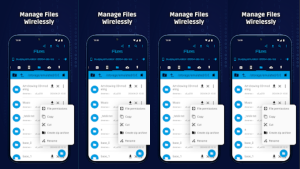
- File Transfer & Management
Push files to and pull files from connected devices.
Browse supported device file system locations.
Manage files and access directories using the tools provided.
Extract information from ADB backup files.
- Screen Mirroring & Remote Control
Mirror supported Android devices’ screens.
Interact with the remotely mirrored screen using supported gestures.
Use remote control features to help test and troubleshoot supported devices.
- Fastboot & Advanced Device Tools
Read available information and variables in the bootloader.
Execute Fastboot commands.
View information about the bootloader and supported hardware.
Perform supported actions on the device (i.e. reboot, enter the bootloader, etc.).
- USB OTG & Wi-Fi Connectivity
Connect supported Android devices via USB OTG.
Connect to supported devices via Wi-Fi.
Interact with Android devices running TV and Wear, as well as other supported hardware.
WHO IS BUGJAEGER FOR?
Android developers testing and debugging apps.
Users who want to know more about how Android systems work and what tools are available in ADB and Fastboot.
IT support and troubleshooting personnel who manage supported devices.
Users looking to perform Android diagnostic and device management tasks.
GET STARTED
Enable Developer options and USB debugging on the supported device, and connect using a compatible USB OTG cable or supported Wi-Fi connection. Authorize the debugging connection when prompted. Some features require additional support from the device or the protocol.